Category: DevOps

  • AWS Well-Architected Framework: Building Reliable and Scalable Cloud Systems

    When we move our workloads to the cloud. it is not about spinning up servers or deploying apps.it is about building something that lasts forever. Something that’s secure, efficient and ready to scale as your business grows. That’s where the AWS Well-Architected Framework comes in.

    It helps cloud architects, developers and devops teams make better decisions while designing systems that are resilient, secure and optimized for performance and cost.


    What Is the AWS Well-Architected Framework?

    AWS Well-Architected Framework is a collection of key concepts, design principles and best practices for designing and running workloads in the cloud.


    The Six Pillars of AWS Well-Architected Framework

    The framework is built around six core pillars


    1. Operational Excellence

    Goal: Run and monitor systems effectively to deliver business value and continuously improve.
    This pillar focuses on automation, monitoring and incident response.
    You learn to document everything, evolve your procedures, and design systems that can be easily operated.

    Key takeaway: Build operations as code. Automate repetitive tasks and always keep improving.


    2. Security

    Goal: Protect data, systems and assets using cloud-native security practices.
    AWS encourages a defense-in-depth approach—secure every layer from identity and access to data encryption.

    Key takeaway: Security is everyone’s responsibility. Protect, detect and respond continuously.


    3. Reliability

    Goal: Ensure your workload performs correctly and consistently even when things go wrong.
    It’s all about resiliency, fault tolerance and disaster recovery. Design for failure because in the cloud, it’s inevitable, but manageable.

    Key takeaway: Don’t hope systems won’t fail design them to recover when they do.


    4. Performance Efficiency

    Goal: Use computing resources efficiently to meet system requirements and maintain performance as demand changes.
    This means choosing the right instance types, storage options and database solutions to optimize speed and scalability.

    Key takeaway: Continuously review and evolve your architecture as technology evolves.


    5. Cost Optimization

    Goal: Avoid unnecessary costs and maximize the business value from every dollar spent.
    AWS gives you visibility and tools like Cost Explorer and Budgets to monitor and control spending.

    Key takeaway: Pay only for what you use—and always look for smarter ways to save.


    6. Sustainability

    Goal: Minimize the environmental impact of your cloud workloads.
    This newer pillar focuses on using resources responsibly, choosing energy efficient regions and optimizing workloads to reduce carbon footprint.

    Key takeaway: Build green architectures that are efficient and sustainable for the planet.


    Why It Matters

    Applying the AWS Well-Architected Framework ensures your systems are resilient, cost-effective, and future-ready.
    Whether you’re a startup building your first cloud app or an enterprise migrating legacy workloads, this framework acts as your trusted compass in the cloud journey.

    By regularly reviewing your workloads against the six pillars, you’ll not only identify risks early but also make informed improvements that drive long-term success.


    Final Thoughts

    Cloud architecture isn’t just about deploying resources—it’s about building smart, secure, and sustainable systems.
    The AWS Well-Architected Framework provides the guidance to help you do exactly that balancing performance, cost, and reliability while keeping security and sustainability at the heart of it all.

    So the next time you design or review a workload, remember these six pillars — they’re not just best practices, they’re the foundation of every great cloud architecture

    What’s Next?

    The journey is ongoing. I’m glad to have you along for the ride.

    Devops tutorial :https://www.youtube.com/embed/6pdCcXEh-kw?si=c-aaCzvTeD2mH3Gv

  • Essential Ports and Protocols Every DevOps Engineer Should Know

    As a DevOps engineer, your work doesn’t stop at CI/CD pipelines or writing infrastructure-as-code. You’re also a bridge between development, operations, and the underlying network that makes everything talk to each other.should know Ports and Protocols.

    And here’s the truth: if you don’t understand the ports and protocols your systems rely on, troubleshooting production issues or securing them becomes a nightmare.

    So let’s break down the networking essentials every DevOps engineer should know — the ports and protocols, and why they matter in your daily workflow.

    1. Core Web and Application Protocols

    These are the backbone of Application — if your app touches the internet, you’re using these.

    ProtocolPortTransportWhy It Matters for DevOps
    HTTP (Hypertext Transfer Protocol)80TCPHandles unsecured web traffic. Typically used for redirects to HTTPS. Make sure your web servers (like Nginx or Apache) listen here only for redirection.
    HTTPS (HTTP Secure)443TCPEncrypts web communication using SSL/TLS. Ingress controllers, CDNs, and app servers must handle TLS certificates and termination correctly.
    DNS (Domain Name System)53UDP/TCPResolves domain names to IPs. Misconfigured DNS can break deployments, service discovery, or even CI/CD pipelines.

    Always validate your DNS records and automate certificate renewals (using something like cert-manager in Kubernetes).


    2. Infrastructure & Remote Access Protocols

    You’ll use these daily for server management, deployments, and automation.

    ProtocolPortTransportWhy It Matters
    SSH (Secure Shell)22TCPThe lifeline for secure remote access to Linux/Unix servers and CI/CD agents. Best practice: Change the default port and restrict access via firewalls or security groups.
    RDP (Remote Desktop Protocol)3389TCPUsed for graphical access to Windows servers. Even if you’re mostly cloud/Linux, it’s essential when managing Windows build agents or hybrid environments.

    Lock down SSH and RDP to specific IPs or use bastion hosts — never expose them directly to the internet.


    3. Database & Messaging Protocols

    If your app stores or moves data, these ports are the lifelines. They also happen to be common attack targets.

    ProtocolPortTransportWhy It Matters
    MySQL3306TCPStandard for MySQL/MariaDB. Should never be publicly accessible allow only internal traffic.
    PostgreSQL5432TCPPopular open-source database. Same rule: restrict access tightly.
    MongoDB27017TCPDefault MongoDB port. Enable authentication and firewall restrictions.
    Redis6379TCPUsed for caching and session storage. Protect it — Redis often holds sensitive in-memory data.
    MQTT1883 / 8883 (secure)TCPCommon in IoT and microservice messaging. Know these if managing brokers like Mosquitto.

    Treat database ports like secrets — only your app should be talking to them.


    4. Operational & Monitoring Ports

    These keep your systems observable, automatable, and healthy.

    Tool / ServicePortTransportWhy It Matters
    Jenkins8080TCPDefault for Jenkins and many CI/CD tools. Watch for port conflicts in shared environments.
    Prometheus9090TCPExposes metrics for scraping. Make sure Grafana or other dashboards can reach it.
    Grafana3000TCPDefault web UI for visualization dashboards.
    Kubernetes API Server6443TCPThe control plane’s main entry point. Lock it down with RBAC and network policies.
    Health ChecksVaries (e.g., 8080/8081)TCPUsed by Kubernetes or load balancers for readiness/liveness probes. Keep them lightweight and reliable.

    Ports Are Policy

    Understanding ports isn’t just about memorizing numbers — it’s about enforcing good security and operational practices.

    Here’s how to apply this knowledge:

    • Principle of Least Privilege: Only open what’s absolutely necessary. Close everything else.
    • Use FQDNs over IPs: DNS simplifies environment management and scaling — let names handle the routing.
    • Audit Regularly: Tools like ss, netstat, or Kubernetes kubectl port-forward can show you exactly what’s exposed.
    • Embrace HTTPS: Port 80 should exist only to redirect traffic to 443. Automate SSL/TLS renewal and rotation.

    Final Thoughts

    Networking isn’t just the concern of your infrastructure team .it’s part of your DevOps DNA. By mastering ports and protocols, you’re not just connecting services; you’re building reliable, secure, and scalable systems that stand strong under real-world traffic.

    After all, every deployment travels across the network — make sure you understand the roads it takes

    What’s Next?

    The journey is ongoing. I’m glad to have you along for the ride.

    Devops tutorial :https://www.youtube.com/embed/6pdCcXEh-kw?si=c-aaCzvTeD2mH3Gv
  • How I Used AWS re/Start Program in India to Start My DevOps Career

    Hello, Friends. Many people think starting a career in AWS,cloud or DevOps requires Thousand of rupees for training or bootcamps. I’m here to tell you from my own experience — you don’t need to spend a single rupee to begin.

    I’m from a non-IT background Leather Technology graduate and today I’m a DevOps Engineer. My journey began with the AWS re/Start program — a free cloud training program supported by Amazon Web Services and delivered by partner organizations across India.

    If you are unemployed, switching careers, or simply don’t have the money for expensive coaching, this is one of the best opportunities available.


    What is AWS re/Start?

    Free, full-time cloud training with no hidden fees is available for aspiring professionals. The program covers essential topics such as Linux, networking, AWS services, Python, security, and DevOps basics. In addition to technical skills, it also includes soft skills training like communication, teamwork, resume building, and mock interviews.

    Upon successful completion, participants gain access to interview opportunities with hiring partners, helping them launch their careers in the cloud domai


    AWS re/Start Training Partners in India

    You can apply to these organizations (all free):

    • Dhyanahitha Educational Society
    • Don Bosco Tech Society
    • EduBridge
    • Generation India Foundation
    • HOPE Foundation
    • JobsAcademy (2COMS Group)
    • Magic Bus India Foundation
    • Tata STRIVE (Tata Community Initiatives Trust)
    • Tech Mahindra Foundation
    • Vinsys
    • Apply here: AWS re/Start Application Page

    My Personal Journey

    1. Applied Everywhere → I didn’t wait for one response, I applied to all partners.
    2. Got Selected → Basic aptitude + communication test, then interview.
    3. Started Learning → Daily classes on Linux, networking, AWS basics, and Python.
    4. Faced Failures → After completing the course, I failed 3 job interviews.
    5. Kept Going → On my 4th attempt, I finally cracked the interview.
    6. First Job → Got my first DevOps role in a startup. That became my foundation and later I joined Zoho Corporation.

    Tips for Learners

    Don’t waste your money on paid training — the AWS re/Start program is completely free. Apply to all partners to maximize your chances of getting selected, and once you’re in, stay disciplined and treat the course like a full-time job. Remember, failing interviews is normal; I personally failed three times before finally succeeding. What matters is focusing on core skills like Linux commands, networking basics, AWS services such as EC2, S3, IAM, and VPC, along with developing a strong problem-solving mindset. Stay connected with peers, learn together, and keep yourself motivated — consistency and perseverance will eventually lead you to success.


    Final Thoughts

    The AWS re/Start program changed my life without costing me a rupee. If you are unemployed, from a non-IT background, or cannot afford expensive training, this program is for you.

    I started from scratch, failed multiple times, but never gave up. Today, I’m working as a DevOps Engineer because of this opportunity.

    If I can do it, so can you.

    Action Step: Visit the AWS re/Start Application Page, apply to all partners, and start your journey today.

    What’s Next?

    The journey is ongoing. I’m glad to have you along for the ride.

    Devops tutorial :https://www.youtube.com/embed/6pdCcXEh-kw?si=c-aaCzvTeD2mH3Gv

  • My DevOps Journey: From Leather Tech to Cloud Engineering

    Hello all Devops & Developers!

    My name is Srikanth,and this is the first post in my public learning journey. I’m currently a DevOps Engineer at Zoho Corporation but my path to get here was anything but straight. This blog is my attempt to document my continuous learning in the world of DevOps and share the lessons I pick up along the way.

    My story begins in a small village where the idea of a career in cutting-edge technology felt a world away. I worked hard, secured a place at Anna University in Chennai and pursued a degree in… Leather Technology. It was a fascinating field and I was proud to be placed in a core company right after graduation.

    But just four months in, I had a nagging feeling that I was on the wrong path. The work wasn’t igniting my passion. I made a tough decision: I quit my job to chase a curiosity that had been growing for a while – the world of cloud computing.

    This was my pivot point. I enrolled in the AWS re/Start program, a full-time, online-based course that takes you from zero to cloud-ready. I immersed myself, studied relentlessly and earned my first AWS certification. That certification was more than a piece of paper; it was my entry ticket. In August 2023, I landed my first tech role as a DevOps Engineer at a startup.

    For nine incredible months, I learned more than I ever thought possible. The startup environment was a trial by fire, and it solidified my love for building, automating, and solving complex problems. That experience paved the way for my current role at Zoho Corporation.

    Why I’m Sharing This Journey

    Even though I’m now working in the field, I firmly believe that in DevOps, you are never done learning. The landscape of tools and best practices is constantly evolving. My goal for this blog is to create a space for continuous growth. This won’t be a polished tutorial series from an expert. This is a real-time log from a practicing engineer who is always learning.

    Let’s Learn and Grow Together

    I’m putting my learning goals out there to hold myself accountable, but I also want to build something more: a community.

    My vision is for this blog to be an interactive space. Join me in the comments with your own studies and queries. Let’s share learning skills, help each other with debugging complex issues, and grow as a community. We can all become better engineers when we grow as a group. This is our space to learn and grow, together.

    What’s Next?

    The journey is ongoing. I’m glad to have you along for the ride.

    Devops tutorial :https://www.youtube.com/embed/6pdCcXEh-kw?si=c-aaCzvTeD2mH3Gv

  • Learn DevOps from Scratch: A Complete Beginner’s Guide

    Introduction

    In today’s fast-paced tech world, DevOps has become one of the most in-demand career paths. Companies like Amazon, Netflix, and Google rely on DevOps practices to deliver software faster, with higher quality and reliability.

    If you are completely new and wondering “How do I start learning DevOps from scratch?” — you’re in the right place. In this blog, we’ll break down DevOps concepts, tools, and a clear roadmap for beginners.


    What is DevOps?

    DevOps = Development + Operations.
    It’s not a tool or a programming language, but a culture and practice that brings developers and IT operations together.

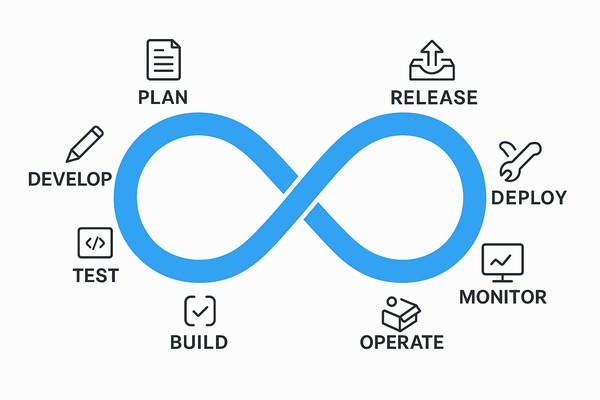
    • Traditional approach: Developers write code → Operations deploys it → Miscommunication slows things down.
    • DevOps approach: Developers and Ops work together → Automation → Faster and reliable releases.

    👉 In simple terms: DevOps helps companies build, test, and release software quickly and safely.


    Why Learn DevOps?

    • High Demand: DevOps engineers are among the top-paying IT professionals.
    • Faster Delivery: Every company wants faster updates for customers.
    • Better Reliability: Automated monitoring reduces downtime.
    • Career Flexibility: DevOps skills are useful in startups, enterprises, and cloud-native companies.

    Key Concepts

    Before learning tools, understand the principles:

    1. Continuous Integration (CI) → Automatically build and test code when changes are made.
    2. Continuous Delivery (CD) → Deploy updates frequently and reliably.
    3. Infrastructure as Code (IaC) → Manage servers with code instead of manual setup.
    4. Monitoring & Logging → Detect and fix issues quickly.
    5. Collaboration & Automation → Teams work together with automated workflows.

    DevOps Tools You Need to Know

    Here are the essential tools grouped by category:

    • Source Code Management → Git, GitHub, GitLab, Bitbucket
    • CI/CD Pipelines → Jenkins, GitHub Actions, GitLab CI, CircleCI
    • Configuration Management → Ansible, Puppet, Chef
    • Containerization → Docker, Podman
    • Container Orchestration → Kubernetes
    • Cloud Platforms → AWS, Azure, GCP
    • Monitoring → Prometheus, Grafana, ELK Stack

    Step-by-Step Roadmap to Learn DevOps from Scratch

    1. Learn the Basics of Linux & Networking

    • Understand commands, file system, permissions
    • Learn basics of networking (IP, DNS, HTTP, SSH)

    2. Learn Git and Version Control

    • Create repositories, branches, and manage commits
    • Host projects on GitHub

    3. Understand CI/CD Pipelines

    • Install Jenkins and create a simple pipeline
    • Automate builds and tests

    4. Learn Containerization with Docker

    • Build images, run containers, manage volumes & networks

    5. Move to Kubernetes (K8s)

    • Deploy applications, scale pods, manage clusters

    6. Learn Infrastructure as Code (IaC)

    • Write Ansible playbooks
    • Use Terraform to provision servers on AWS

    7. Cloud Computing (AWS/GCP/Azure)

    • Learn EC2, S3, IAM basics
    • Deploy workloads on cloud

    8. Monitoring & Logging

    • Use Prometheus & Grafana for monitoring
    • Centralize logs using ELK

    9. Build a Real DevOps Project

    Example: Deploy a web app → CI/CD pipeline → Docker → Kubernetes → Monitoring


    Tips to Learn Faster

    • Practice daily on a cloud platform (AWS free tier is great).
    • Start with mini-projects (deploy a static website, then add CI/CD).
    • Join DevOps communities (Reddit, LinkedIn, Slack groups).
    • Read documentation — tools evolve quickly.

    Conclusion

    Learning thisfrom scratch may seem overwhelming at first, but if you follow the roadmap step by step, it becomes much easier. Focus on building real projects and practicing daily.

    It isn’t just about tools — it’s about a mindset of collaboration, automation, and continuous improvement.

    So, start small, stay consistent, and you’ll soon master !

    Next Steps :

  • Top Tier-1 Product-Based IT Companies in India

    India has emerged as a global technology hub, hosting some of the world’s leading product-based IT companies. These organizations are not only shaping the future of software and digital innovation but also offering incredible career opportunities for engineers, developers, and technologists. Tier-1 product-based companies are known for their strong brand value, cutting-edge technology, competitive salaries, and innovation-driven work culture.

    In this blog, we’ll explore the top Tier-1 product-based IT companies in India that every aspiring software engineer dreams of working for.


    1. Google India

    Google, one of the most admired tech giants globally, has its strong presence in India with offices in Bengaluru, Hyderabad, Gurgaon, and Mumbai.

    • Specialization: Search, Cloud, AI/ML, Android, Ads, and YouTube.
    • Why Google? Innovation-driven projects, top-notch infrastructure, and high employee satisfaction.
    • Perks: Attractive salary, work-life balance, and global exposure.

    2. Microsoft India

    Microsoft has been a pioneer in enterprise software and cloud computing. Its India Development Center (IDC) in Hyderabad is one of the company’s largest R&D centers outside the US.

    • Specialization: Windows, Office, Azure, AI, and Cloud solutions.
    • Why Microsoft? Opportunities to work on products impacting billions worldwide.
    • Perks: Excellent compensation, flexible work policies, and employee growth programs.

    3. Amazon (Amazon Development Centre India)

    Amazon is not just an e-commerce giant but also a leader in cloud computing (AWS) and digital technologies.

    • Specialization: E-commerce, AWS, Alexa, and Kindle.
    • Why Amazon? Fast-paced, customer-centric environment with a focus on large-scale innovation.
    • Perks: Competitive salaries, stock options, and leadership-driven culture.

    4. Apple India

    Apple, the brand behind iPhone, Mac, and iOS ecosystem, has growing operations in India, especially in Bengaluru and Hyderabad.

    • Specialization: Hardware-software integration, iOS, MacOS, and Apple Cloud services.
    • Why Apple? Opportunity to work on cutting-edge products and innovation-driven projects.
    • Perks: Premium salary packages, creative work culture, and global exposure.

    5. Meta (Facebook, Instagram, WhatsApp)

    Meta has offices in Gurgaon, Bengaluru, and Hyderabad, focusing on social media technologies, AR/VR (Metaverse), and AI research.

    • Specialization: Social networking, AI, VR/AR, and digital ads.
    • Why Meta? Projects that impact billions of users daily.
    • Perks: Excellent salary, perks, and creative work environment.

    6. Adobe India

    Adobe is a leader in digital media and content creation tools, with major operations in Noida and Bengaluru.

    • Specialization: Photoshop, Illustrator, Acrobat, Adobe Cloud.
    • Why Adobe? Strong focus on creativity, innovation, and employee well-being.
    • Perks: Great pay, work-life balance, and global product exposure.

    7. Oracle India

    Oracle has been a pioneer in database management systems and enterprise software. Its development centers in Bengaluru, Hyderabad, and Pune are key hubs for innovation.

    • Specialization: Databases, Cloud services, and Enterprise applications.
    • Why Oracle? Exposure to enterprise-level projects and global markets.
    • Perks: High job stability, benefits, and learning opportunities.

    8. Salesforce

    Salesforce is the global leader in Customer Relationship Management (CRM) software, with a strong presence in Hyderabad and Bengaluru.

    • Specialization: CRM, Cloud, and AI-powered customer solutions.
    • Why Salesforce? Known for great work culture, inclusivity, and innovation.
    • Perks: Top salaries, employee-friendly policies, and growth opportunities.

    9. SAP Labs India

    SAP Labs in Bengaluru is one of the largest development hubs outside Germany.

    • Specialization: Enterprise Resource Planning (ERP), Cloud, and Business Analytics.
    • Why SAP Labs? Work on global enterprise solutions impacting businesses worldwide.
    • Perks: Competitive pay, innovation-driven projects, and flexible work culture.

    10. Intel India

    Intel has been at the forefront of semiconductor innovation and chip design.

    • Specialization: Hardware, AI, IoT, and processor design.
    • Why Intel? Opportunities to work on futuristic hardware and AI-driven projects.
    • Perks: Attractive compensation, benefits, and research-focused culture.

    Final Thoughts

    Tier-1 product-based IT companies in India provide world-class opportunities for engineers and technologists. They offer not just attractive salaries but also global exposure, cutting-edge technologies, and projects that directly impact billions of people.

    If you are aiming to build a career in software engineering, AI, cloud computing, or product design, targeting these companies can be a life-changing step.

    Tip: Focus on strengthening your DSA (Data Structures & Algorithms), problem-solving, and system design skills to crack interviews at these firms

    Next Steps :

  • Top 7 Bluetooth Earphones Under ₹2000 in India (2025)

    Looking for budget-friendly Bluetooth earphones that don’t compromise on sound and features? You’re in the right place! In 2025, the under ₹2000 price segment in India is filled with powerful options — from neckbands to true wireless earbuds (TWS).

    Whether you need clear calls, punchy bass, or long battery life, here are the top 7 Bluetooth earphones under ₹2000 you can buy today.


    1. OnePlus Bullets Wireless Z2

    💰 Price: ~₹1,499

    One of the most popular neckbands in India, the OnePlus Bullets Z2 is a beast for bass lovers. With 12.4mm drivers, fast charging (10 mins = 20 hrs playback), and up to 30 hours battery life, it’s an easy recommendation.

    👉 Best for: Music lovers & long-hour listeners
    👉 Buy on Amazon


    2. boAt Airdopes 141 ANC

    💰 Price: ~₹1,699

    If you prefer true wireless earbuds, the Airdopes 141 ANC is a fantastic option. With Active Noise Cancellation (up to 32 dB), ENx tech for calls, and 42 hours total playtime, these are value-for-money TWS.

    👉 Best for: Commuters & work-from-home calls
    👉 Buy on Amazon


    3. Noise Buds VS104

    💰 Price: ~₹1,499

    Noise is known for affordable yet stylish earbuds, and the VS104 continues the trend. With 13mm drivers, up to 30 hours playtime, and quick charge support, it’s great for everyday use.

    👉 Best for: Balanced audio & lightweight design
    👉 Buy on Amazon


    4. realme Buds Wireless 3

    💰 Price: ~₹1,999

    A strong rival in the neckband segment, the realme Buds Wireless 3 offers 13.6mm bass drivers, dual device connection, and up to 40 hours battery life. IP55 rating ensures sweat/water resistance.

    👉 Best for: Workout & multi-device users
    👉 Buy on Amazon


    5. Boult Audio Z20 Pro

    💰 Price: ~₹899

    Boult is popular for its heavy bass and budget pricing. The Z20 Pro delivers 40 hours playback, ENC mic for clearer calls, and a gaming mode with low latency.

    👉 Best for: Gamers & bass enthusiasts
    👉 Buy on Amazon


    6. Redmi Buds 3 Lite

    💰 Price: ~₹1,799

    From Xiaomi, these are compact, lightweight TWS earbuds with a secure fit. They pack 18 hours total playtime, decent bass, and a reliable brand experience.

    👉 Best for: Minimalists & casual listeners
    👉 Buy on Amazon


    7. boAt Rockerz 255 Pro+

    💰 Price: ~₹1,169

    Another neckband favorite, the Rockerz 255 Pro+ offers up to 40 hours of playback, ASAP charging (10 mins = 10 hrs), and IPX7 water resistance. Great option for workout lovers.

    👉 Best for: Gym-goers & runners
    👉 Buy on Amazon


    Final Verdict

    • For TWS lovers → go for boAt Airdopes 141 ANC or Noise Buds VS104.
    • For neckband fansOnePlus Bullets Z2 or realme Buds Wireless 3 are excellent.
    • For workoutsboAt Rockerz 255 Pro+ or Boult Z20 Pro.

    At under ₹2000, you don’t have to break the bank to enjoy wireless freedom. Just pick based on your usage — music, calls, or workouts.

    👉 Check Best Bluetooth Earphones Under ₹2000 on Amazon


    Prices on Amazon change often — watch out for Lightning Deals and Great Indian Festival sales to grab them at even lower prices!

    Next Steps :

  • AWS DevOps Engineer vs OCI DevOps Engineer: A Clear Comparison

    In today’s cloud-driven world, DevOps engineers play a critical role in building, deploying, and maintaining applications. But depending on the cloud provider, the role of a DevOps engineer can look very different. Two leading cloud platforms—Amazon Web Services (AWS) and Oracle Cloud Infrastructure (OCI)—both offer DevOps tools and services. In this blog, we’ll compare what it means to be an AWS DevOps Engineer vs an OCI DevOps Engineer.


    1. Core Focus of the Role

    • AWS DevOps Engineer:
      Focuses on designing and managing CI/CD pipelines, infrastructure automation, and scaling applications using AWS services like CodePipeline, CodeBuild, CodeDeploy, CloudFormation, Elastic Beanstalk, ECS/EKS, and Lambda.
    • OCI DevOps Engineer:
      Works on building CI/CD pipelines using OCI DevOps service, automating deployments with Resource Manager (Terraform-based), and ensuring workloads run efficiently on OCI Compute, Kubernetes (OKE), and Autonomous Database.

    Key Difference: AWS engineers rely on a mature and wide ecosystem, while OCI engineers focus on a simplified, integrated DevOps service with Terraform as a central tool.


    2. Tools and Services

    • AWS DevOps Tools:
      • CI/CD: CodePipeline, CodeBuild, CodeDeploy
      • Infrastructure as Code (IaC): CloudFormation, CDK, Terraform
      • Containers & Orchestration: ECS, EKS (Kubernetes), Fargate
      • Monitoring & Logging: CloudWatch, X-Ray
      • Security: IAM, Secrets Manager, KMS
    • OCI DevOps Tools:
      • CI/CD: OCI DevOps (built-in pipelines, build & deployment automation)
      • Infrastructure as Code (IaC): Resource Manager (native Terraform service)
      • Containers & Orchestration: OKE (Oracle Kubernetes Engine)
      • Monitoring & Logging: OCI Logging, Monitoring, and Alarms
      • Security: OCI IAM (policies, compartments, dynamic groups)

    Key Difference: AWS has more tool variety (but higher complexity). OCI provides fewer but tightly integrated tools that revolve around Terraform and simplified DevOps flows.


    3. Ecosystem & Integrations

    • AWS: Has a massive ecosystem—DevOps engineers integrate S3, Lambda, DynamoDB, RDS, and countless services into their CI/CD pipelines.
    • OCI: Offers integration mainly within Oracle products like Autonomous Database, Fusion apps, and Analytics, but also supports S3 API compatibility for easier migration.

    AWS = Broad ecosystem. OCI = Oracle-centric integrations.


    4. Skill Requirements

    • AWS DevOps Engineer Skills:
      • Deep understanding of AWS DevOps tools (CodePipeline, CloudFormation, etc.)
      • Strong knowledge of containerization (Docker, Kubernetes)
      • Experience in monitoring & scaling (CloudWatch, Auto Scaling)
      • Certification like AWS Certified DevOps Engineer – Professional is highly valued
    • OCI DevOps Engineer Skills:
      • Hands-on with OCI DevOps service and Resource Manager (Terraform)
      • Knowledge of OCI networking, compute, and compartments
      • Familiarity with Oracle Autonomous Database integration
      • Certification like Oracle Cloud Infrastructure DevOps Professional (in beta/rolling out) adds credibility

    AWS engineers often need multi-tool expertise, while OCI engineers must be strong in Terraform + Oracle integrations.


    5. Job Market & Demand

    • AWS DevOps Engineer:
      • High demand globally.
      • Most enterprises use AWS, making it the most sought-after DevOps skillset.
      • Salaries are among the top in cloud engineering.
    • OCI DevOps Engineer:
      • Niche but growing demand, especially in enterprises already invested in Oracle products (finance, banking, manufacturing).
      • Salaries are competitive, but fewer job listings compared to AWS.

    AWS = Global dominance. OCI = Specialized opportunities.


    6. Pricing & Business Impact

    • AWS DevOps Engineers: Must optimize costs across many AWS services. Complexity can increase costs if not managed well.
    • OCI DevOps Engineers: Often highlight lower cloud pricing (Oracle markets OCI as cheaper than AWS), focusing on cost efficiency.

    7. Career Growth

    • AWS DevOps Engineer:
      • Broader career opportunities (SRE, Cloud Architect, Platform Engineer).
      • Skills are transferable across industries and regions.
    • OCI DevOps Engineer:
      • Strong career growth inside Oracle-centric enterprises.
      • Skills are more niche, but valuable in industries tied to Oracle databases and ERP systems.

    Conclusion

    • Choose AWS DevOps Engineer if:
      • You want to work in a wide range of industries.
      • You value career flexibility and global demand.
      • You want to master the world’s most popular cloud platform.
    • Choose OCI DevOps Engineer if:
      • You are working in an Oracle-heavy environment (banking, finance, ERP).
      • You prefer simplicity with Terraform-driven automation.
      • You want to specialize in a niche with less competition.

    In short:

    • AWS DevOps Engineer = Broad, high-demand, versatile.
    • OCI DevOps Engineer = Niche, Oracle-focused, cost-efficient

    Next Steps :

  • OCI Object Storage vs AWS S3:AWS vs OCI

    A Clear Comparison of Bucket Services

    When it comes to cloud storage, buckets are the foundation. Whether you are storing images, logs, backups, or large datasets, bucket-based storage services make it easy to organize and retrieve your files. Two of the most popular cloud providers—Oracle Cloud Infrastructure (OCI) and Amazon Web Services (AWS)—offer bucket services with similar goals but different implementations. In this blog, we’ll compare OCI Object Storage and AWS S3 bucket services in detail.


    1. Basic Concept of Buckets

    • AWS S3 Buckets: In AWS, a bucket is a container where objects (files) are stored. Each object can be accessed using a unique URL formed by combining the bucket name and object key. Buckets are globally unique across AWS.
    • OCI Buckets: In OCI, buckets are also containers for objects. However, buckets exist within a compartment (a logical grouping of resources). Each bucket belongs to a namespace, which makes bucket names unique only inside that namespace (not globally).

    Key Difference:

    • AWS → Global uniqueness of bucket names.
    • OCI → Bucket names unique within a namespace.

    2. Namespace and Global Scope

    • AWS: Every bucket name is part of a global namespace. If someone already took the bucket name my-data, you cannot use it in any AWS region.
    • OCI: Each account has a unique namespace string (like an identifier). Bucket names only need to be unique within your namespace. This avoids conflicts with other customers.

    This makes OCI more flexible for naming, while AWS enforces stricter uniqueness.


    3. Storage Classes

    • AWS S3: Offers multiple storage classes:
      • Standard (frequent access)
      • Standard-IA (infrequent access)
      • One Zone-IA (cheaper, one zone only)
      • Glacier / Glacier Deep Archive (cold storage)
    • OCI Object Storage: Uses only two main tiers:
      • Standard (frequent access)
      • Archive (infrequent, long-term storage, similar to Glacier).

    AWS has more storage class options, giving fine-grained cost optimization. OCI keeps it simple with just two.


    4. Access and Security

    • AWS: Uses IAM (Identity and Access Management) for permissions. Bucket policies, ACLs, and IAM roles define who can access buckets. You can also use S3 Block Public Access to prevent accidental public exposure.
    • OCI: Uses IAM Policies at the compartment level. Policies are written in a human-readable language (e.g., “Allow group Analysts to read buckets in compartment ProjectX”). Bucket-level access control can also be set using Pre-Authenticated Requests.

    AWS offers more granular tools (bucket policies + ACLs), while OCI emphasizes simplicity through compartment-based access.


    5. Data Consistency

    • AWS S3: Provides read-after-write consistency for new objects and eventual consistency for overwrite or delete operations.
    • OCI Object Storage: Provides strong consistency for all operations—meaning once an object is written or deleted, every subsequent request reflects the change immediately.

    OCI offers stronger guarantees here, which is important for transactional systems.


    6. Pricing Model

    • AWS S3: Pricing is region-dependent and broken down into:
      • Storage cost (per GB/month)
      • Request cost (per 1,000 PUT, GET, DELETE, etc.)
      • Data transfer cost (in/out).
    • OCI Object Storage: Similar breakdown but generally cheaper than AWS for storage and request costs, especially for Archive tier. Oracle often markets this as a cost advantage.

    AWS may be more expensive but has a broader ecosystem. OCI focuses on competitive pricing.


    7. Integration and Ecosystem

    • AWS S3: Deeply integrated with almost every AWS service (Lambda, EC2, CloudFront, Athena, Glue, etc.), making it a central part of AWS’s ecosystem.
    • OCI Object Storage: Integrates with OCI services (Compute, Data Science, Autonomous Database, etc.) and supports S3 API compatibility for easy migration from AWS.

    AWS has a richer ecosystem, but OCI provides an easier migration path for customers already using S3 APIs.


    8. Unique Features

    • AWS S3:
      • Versioning for object history.
      • Cross-region replication.
      • Object Lock (for immutability).
      • Event Notifications.
    • OCI Object Storage:
      • Pre-Authenticated Requests (PAR): Allows creating a unique URL for an object or bucket without requiring an IAM user.
      • Strong consistency guarantee (unique advantage).

    Conclusion

    Both AWS S3 and OCI Object Storage offer reliable, scalable bucket services. The choice depends on your needs:

    • Choose AWS S3 if:
      • You want a mature ecosystem with deep integrations.
      • You need multiple storage classes for fine cost control.
      • You are already invested in AWS services.
    • Choose OCI Object Storage if:
      • You want simpler, cheaper storage pricing.
      • You prefer strong consistency guarantees.
      • You like flexibility in bucket naming via namespaces.

    In short: AWS S3 = Ecosystem + Options, OCI = Simplicity + Cost Efficiency + Strong Consistency

    Next Steps :

  • Google Veo 3: Premium AI Video Tool Free for Everyone This Weekend

    Google Offers Veo 3 AI Video Generator for Free

    In a surprising announcement, Google CEO Sundar Pichai revealed that the company’s premium AI video generator, Veo 3, is free for all users this weekend.


    Why Google Is Offering Free Access for Google Veo 3

    This move is more than just a free giveaway. It’s a strategic marketing push designed to showcase Veo 3’s AI video generation capabilities to a much wider audience.

    Under normal circumstances, access to Veo 3 requires a Google AI Pro subscription, which costs Rs 1,999 per month in India (around $20 in other markets).

    To handle the sudden spike in demand, Google significantly upgraded its TPU computing power.

    Josh Woodward, head of Gemini, confirmed that Google had deployed “a load of TPUs” in preparation for the trial.


    What Makes Google Veo 3 Special?

    Unveiled at Google I/O 2025, Veo 3 has quickly gained attention as one of the most advanced AI video generation platforms available.

    Unlike many competitors, it doesn’t just create visuals — it also produces synchronized audio, including background music, voices, footsteps, and ambient sounds.

    Key Features of Veo 3:

    • Generates 8-second AI videos in up to 720p resolution
    • Uses text prompts to create cinematic-quality clips
    • Supports short films, animations, and AI-powered game cutscenes
    • Adds built-in watermarks and Google SynthID markers for authenticity

    For Indian users, Google has also launched Veo 3 Fast, an optimized version available in the Gemini app (Android & iOS) for quicker video generation.


    Competing in the AI Video Space

    Google’s decision to make Veo 3 free for a limited time is also about staying competitive.

    The AI video creation market is heating up, with strong rivals like OpenAI’s Sora and Meta’s Movie Gen pushing innovation forward.

    According to industry research, the AI in media and entertainment market is expected to grow to $99.48 billion by 2030.

    By opening Veo 3 to everyone, Google is ensuring its platform stays at the forefront of this explosive growth.


    Final Thoughts

    This weekend trial of Veo 3 is a golden opportunity for creators, filmmakers, marketers, and hobbyists to experiment with AI video generation technology.

    Whether you’re curious about free AI video makers or exploring how AI can transform storytelling, Veo 3 offers a glimpse into the future of content creation.

    The free access ends on Monday at 10:30 AM IST, after which Veo 3 will return to its paid Google AI Pro subscription model.

    Next Steps :